
What players say
VR Speedway keeps its scope tight: dodge barriers, collect credits, unlock ships, and try again. The two control modes create real tradeoffs, with touch controls favoring fast reactions and VR mode demanding physical movement and spatial awareness. Instant restarts reduce downtime, and credits give each run a secondary goal. The main limitation is that progression appears limited to ship unlocks, so players seeking deeper systems may find it thin.
About this game
Two Ways to Steer
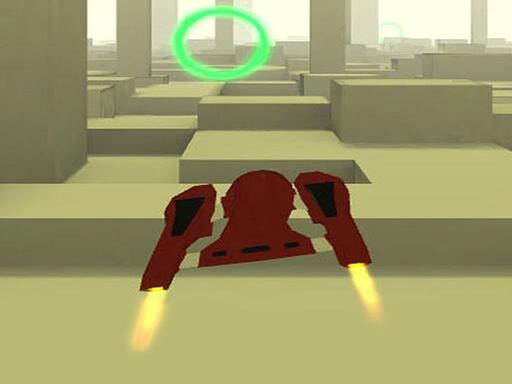
VR Speedway gives players two distinct control schemes. In hand mode, tapping the left or right side of the screen steers the jet around obstacles and through credit pickups. In VR mode, a compatible mobile headset tracks head or body movement to dodge incoming barriers. Both modes share the same endless format, but they demand different kinds of attention: hand mode rewards quick thumb reactions, while VR mode asks for controlled physical movement and spatial awareness.
Survival and the Credit Loop
Each run continues until the jet hits a barrier. There are no checkpoints or lives, so every mistake ends the attempt immediately. Floating credits appear throughout the track, and collecting them feeds directly into the shop, where players can unlock new spaceships. These ships may change how the jet handles or simply offer a different visual style. Because restarting is instant, the loop stays tight: dodge, collect, crash, upgrade, repeat. [IMG_1]
Visual Style and Performance
The game uses multicolor themes and 3D effects to create a sense of speed and depth. The endless format gradually increases difficulty, so runs naturally become more demanding over time. Smooth performance on mobile devices is a stated priority, which matters for VR mode in particular, since frame rate drops are more noticeable in a headset. The art direction leans toward bright, futuristic landscapes rather than realistic racing environments.
Who This Is For
VR Speedway targets players who want short, repeatable arcade sessions rather than deep progression systems. The family-friendly presentation and simple controls lower the barrier to entry, while the endless difficulty curve gives dedicated players a reason to keep improving. The dual control system also makes it a practical choice for anyone curious about mobile VR but not ready to commit to a dedicated headset. [IMG_2]
Compatibility
FAQ
Player Comments
Sign in to comment
You must be logged in before posting a review or rating.
No comments yet. Be the first to comment!






Editorial Notes