
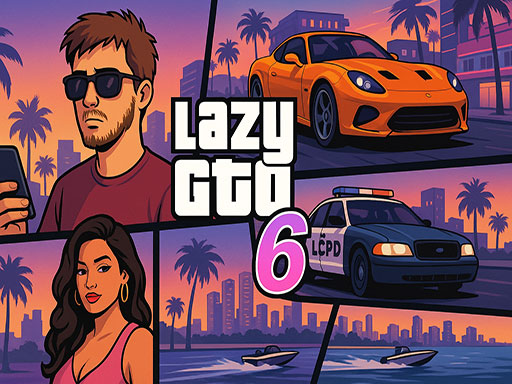
What players say
Urban Free Roam Adventure offers a refreshing take on sandbox gaming by removing strict objectives and letting players simply enjoy the city. The variety of vehicles and the ability to explore freely make each session unique. The vibrant graphics and simple controls ensure a smooth experience. It is perfect for casual players who want to unwind without pressure.
About this game
Game Introduction
Urban Free Roam Adventure is a free online open-world sandbox game set in a colorful and dynamic city. Players are free to explore the urban environment without a fixed storyline or set goals. The core experience revolves around personal freedom and creativity, allowing each player to decide how they want to spend their time in the city. Whether you prefer to drive fast cars, ride motorcycles through busy streets, or simply walk around and take in the sights, the game offers a playground for self-directed fun. The city is designed to be a vibrant, interactive space where you can discover new areas, interact with various vehicles, and enjoy a relaxed yet engaging atmosphere. This game is ideal for those who enjoy exploration and open-ended gameplay without pressure or time limits.
How to Play
To begin, players choose a mode of transportation, such as walking, driving a car, or riding a motorcycle. Simple controls make it easy to navigate the city streets, interact with vehicles, and explore different neighborhoods. Players can take vehicles they find on the road, race through traffic, or drive leisurely to enjoy the scenery. Since there are no strict objectives, you are encouraged to experiment with different vehicles and routes to uncover hidden areas and enjoy the sandbox environment. The game supports a laid-back playstyle where you set your own pace and goals, making each session unique.
Game Features
Key features include a large open world to explore, a variety of vehicles such as cars and motorcycles, and a sandbox environment that encourages creative play. The vibrant city is filled with details and interactive elements. Players can drive freely, race against traffic, or simply wander on foot. The game is free to play online and offers a relaxed, no-pressure experience. It may include hidden spots and secrets for players to discover through exploration.
Tips for Success
To get the most enjoyment from the game, try different vehicles and explore various routes to find hidden areas. Practice driving and maneuvering to navigate traffic smoothly. Create your own challenges, such as racing from one end of the city to the other or finding all the secret spots. Take time to appreciate the city's design and enjoy the freedom of the sandbox. Staying aware of your surroundings helps avoid crashes and keeps the fun going.


03 Player Comments
Sign in to comment
You must be logged in before posting a review or rating.
No account? Create one
No comments yet. Be the first to comment!